
Built for ARAM Mayhem

Chaos? The right augment wins.

Your ARAM Mayhem sidekick for League of Legends: it detects your champion, reads the 3 augments on offer and rates each one S+ → D right on the card. You just click.

The download button adapts to your computer (Windows / Mac).

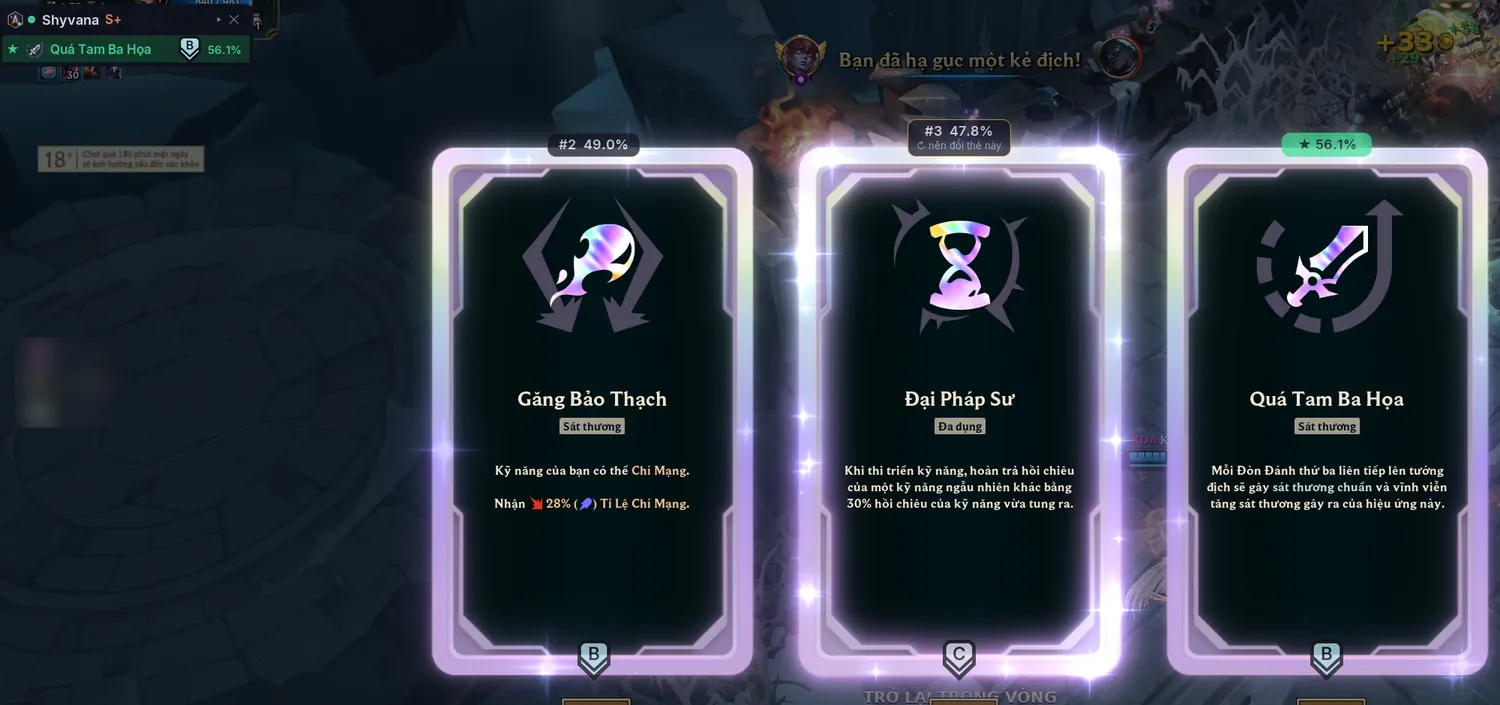
ARAM Helper overlay in a real ARAM Mayhem game: win rates on the cards, tier badges and the suggestion panel

Pick augments in 3 seconds, no tabbing out

Everything you need to decide sits on your game screen the moment the 3 augment cards appear.

AutomaticNothing to type

It detects your champion when the game starts and reads the cards as they appear, even augments that share an icon.

S+ → DA tier under every card

A colour-coded tier badge and win rate on each card; the pick to take gets a ★.

CombosKnow what goes together

A combo bar sits right above the cards; between picks it reminds you which piece is still missing.

CountersItems for the enemy team

Enemy full of healing or magic damage? Get counter items, plus the build that fits the augment you just took.

3 steps, zero setup

  1. Start a matchThe app detects the champion you are playing.
  2. 3 augments appearThe app reads them straight from your screen.
  3. Pick the strongestThe overlay marks the augment to pick, with its S+ → D tier right under the card. Click a card and the hint disappears at once.

Features

From champ select to your last augment pick, ARAM Helper stays with you all game. Click any screenshot to zoom in.

Overlay

Advice right on the augment cards

A smooth, transparent overlay placed exactly on the game's 3 augment cards. It hides nothing and never steals your keys from the game.

  • Win rate label and S+ → D tier badge on every card
  • Combo bar right above the cards
  • Pick a card and the hint disappears at once (~0.1 s)
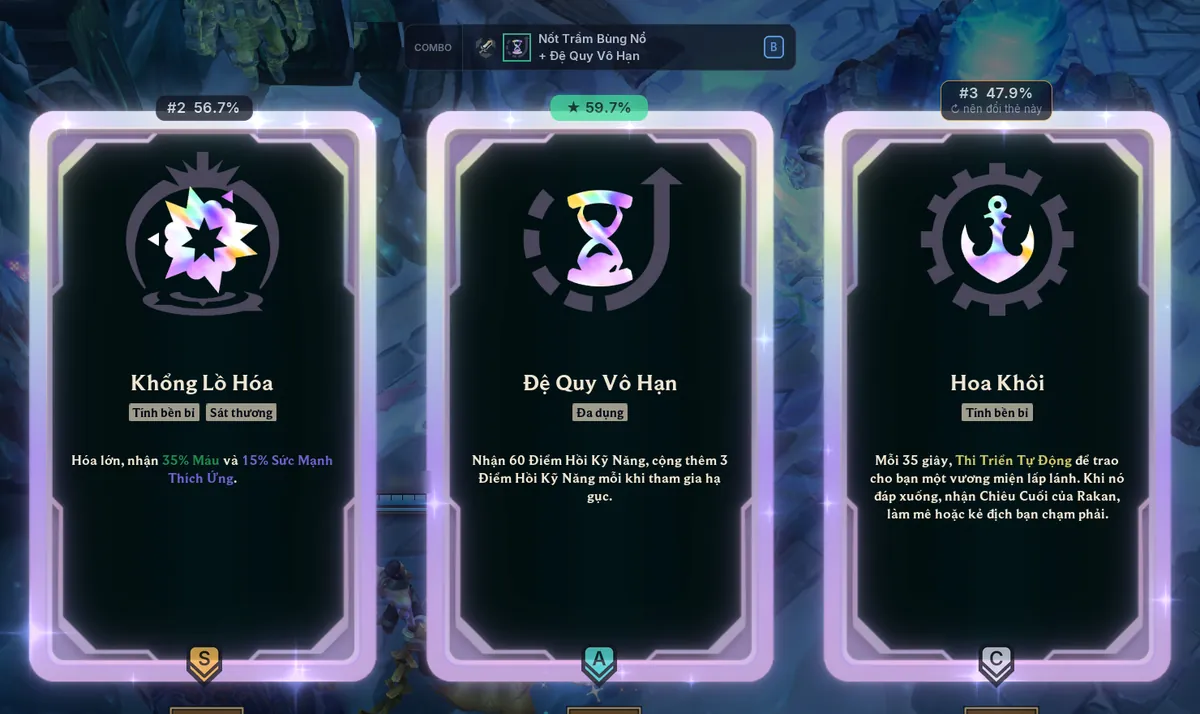
Overlay on the 3 augment cards: win rates, tier badges and the combo bar
Screen reading

Finds the cards, no calibration

The app finds the augment cards by itself and follows the game window, even on a second monitor.

  • Reads names even for augments that share an icon and champion-skill augments
  • A compact panel in the corner that stays out of your way
  • Off by a bit? Press Ctrl+Alt+A to find the cards again
Compact suggestion panel in the corner while picking an augment
Mid-game

Know what to aim for next

Between picks a small panel shows the missing combo piece, the build for the augments you took and items for the enemy team.

  • The augment you still need to complete a combo
  • 3 item builds, led by the one that fits your augment
  • Counter items for the enemy comp and their items
Mid-game panel: missing combo piece, item builds and counter items
Champ select

Which champion is worth swapping? The app tells you

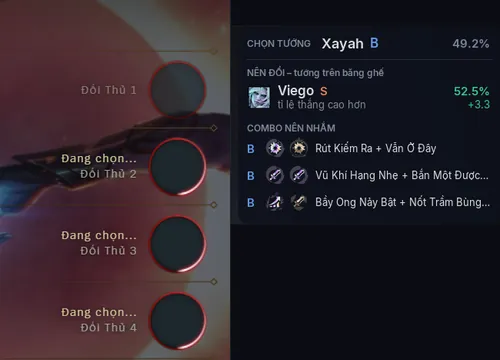
In champ select, the app compares your champion's win rate with each champion on the selection bar and suggests combos to aim for.

  • Champions worth swapping to, with how much higher they win
  • Augment combos to aim for with your current champion
  • Your champion's tier right next to its name
Champ select panel: champions worth swapping to and combos to aim for
Main window

All the stats on one screen

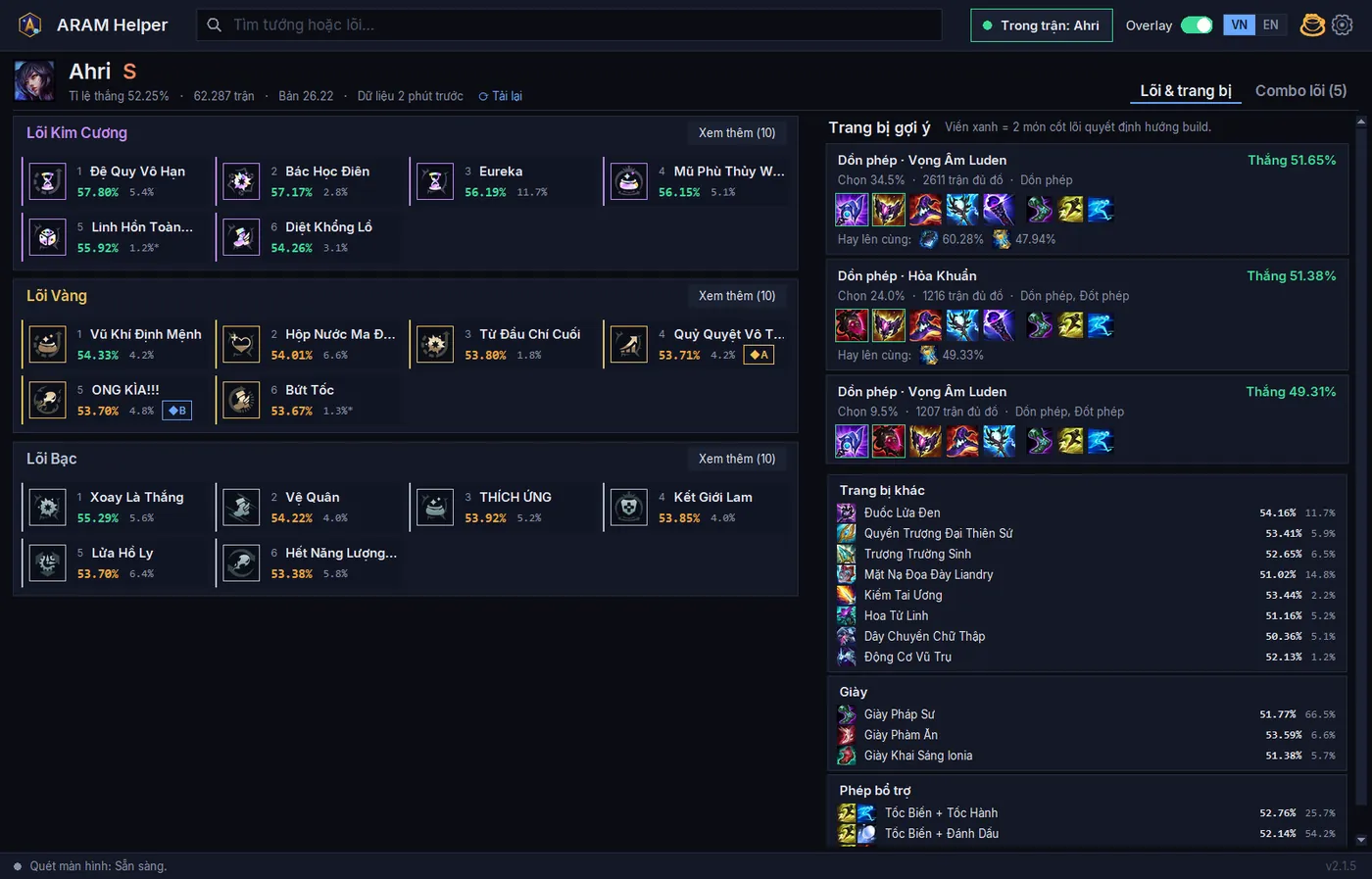
Look anything up outside a game too: augments, items, boots and summoner spells for every champion, laid out to fit your window.

  • Prismatic / Gold / Silver: top 6 per tier, expand to 16
  • 3 item builds, boots and summoner spells
  • Quick search by champion or augment name
ARAM Helper main window with augments, items and combos

And more

Never steals your keys

Click the overlay to mark a pick; the game keeps your keys.

Second monitor ready

The overlay follows the game window on any screen.

Update alerts

Tells you about new versions; updates are signed and tamper-proof.

EN | VN in one click

Language switch right in the top bar, no settings needed.

Always-fresh data

playaram.gg stats, Riot names and icons refresh on their own.

Tune the overlay

Toggle tiers, adjust panel opacity and many display options.

It only looks, it never touches the game

View-only

Uses Riot's official Live Client API plus screenshots.

No interference

No game memory reads or writes, no key presses, no auto-picking.

No login needed

Never asks for your Riot account and collects no personal data.

Download – free

macOS 11+ ⬇ macOS build (.zip)

Main window only, no overlay yet.

ARAM Helper runs on Windows/Mac computers – open this link on a PC.

Windows says “Windows protected your PC”? Two quick steps:
  1. Click More info.
  2. Click Run anyway.

Why: the app does not have a paid code-signing certificate yet, so Windows does not know it. The file you downloaded is the official build.

Quick answers

Can I get banned for using it?

The app only uses the official Live Client API that Riot provides for companion apps (the same way other well-known apps work) plus screenshots. It never reads or writes game memory, never sends key presses and never picks augments for you. Still, it is a third-party tool – use it at your own discretion under Riot's current policies.

Does it eat RAM or hurt my FPS?

It is light: about 70–90 MB of RAM while running, and the overlay is a single transparent window, so FPS is not noticeably affected.

Where do the stats come from, and how fresh are they?

Augment and item stats come from playaram.gg; names and icons from Riot Data Dragon and CommunityDragon. The app refreshes its data when you open it.

What if it does not read my augments automatically?

You can still look things up: type a champion or augment name in the search box to see stats and advice. While the augment cards are open, press Ctrl+Alt+A to make the app find the cards again.